Solo project
Corollary
Online platform for research paper reimplementation
Corollary turns academic papers into runnable Python workspaces, tests, and explicit ambiguity reports instead of pretending papers are always implementation-complete.
The intended application is machine learning, however any paper with algorithms that can be expressed as code can also work, no matter the area of study.
What is Corollary designed to solve
A lot of research papers explain enough mathematics to understand the idea, but not enough engineering detail to reproduce the method cleanly. That gap matters, especially when the goal is not just to read the paper but to actually run the method and test it.
Corollary is built around that gap. The job is not only to generate code. The job is to turn the paper into a runnable workspace while staying honest about what was written explicitly and what still had to be inferred. This final part means that Corollary is open with its users whenever it has to make guesses or assumptions.
Features
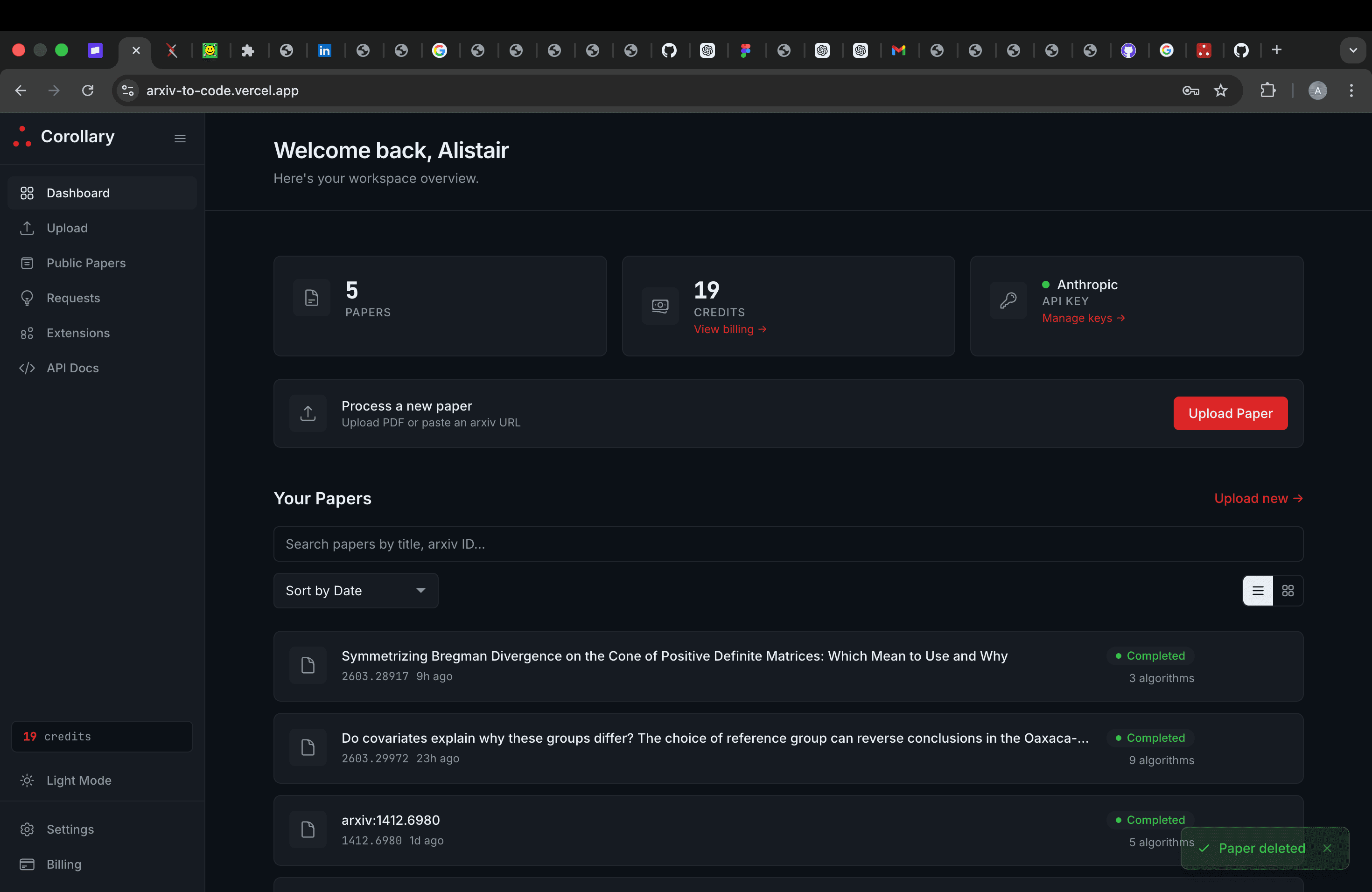
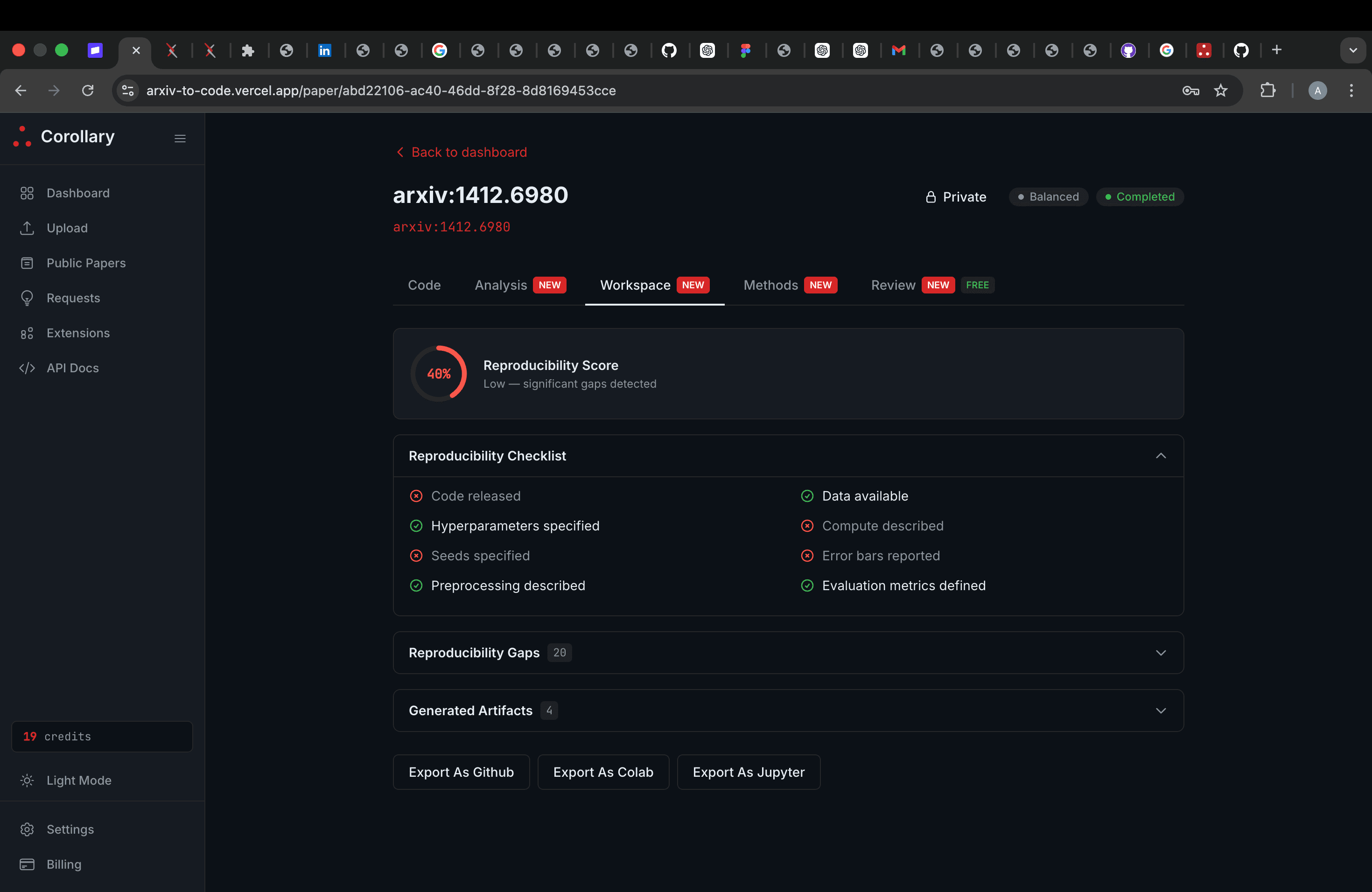
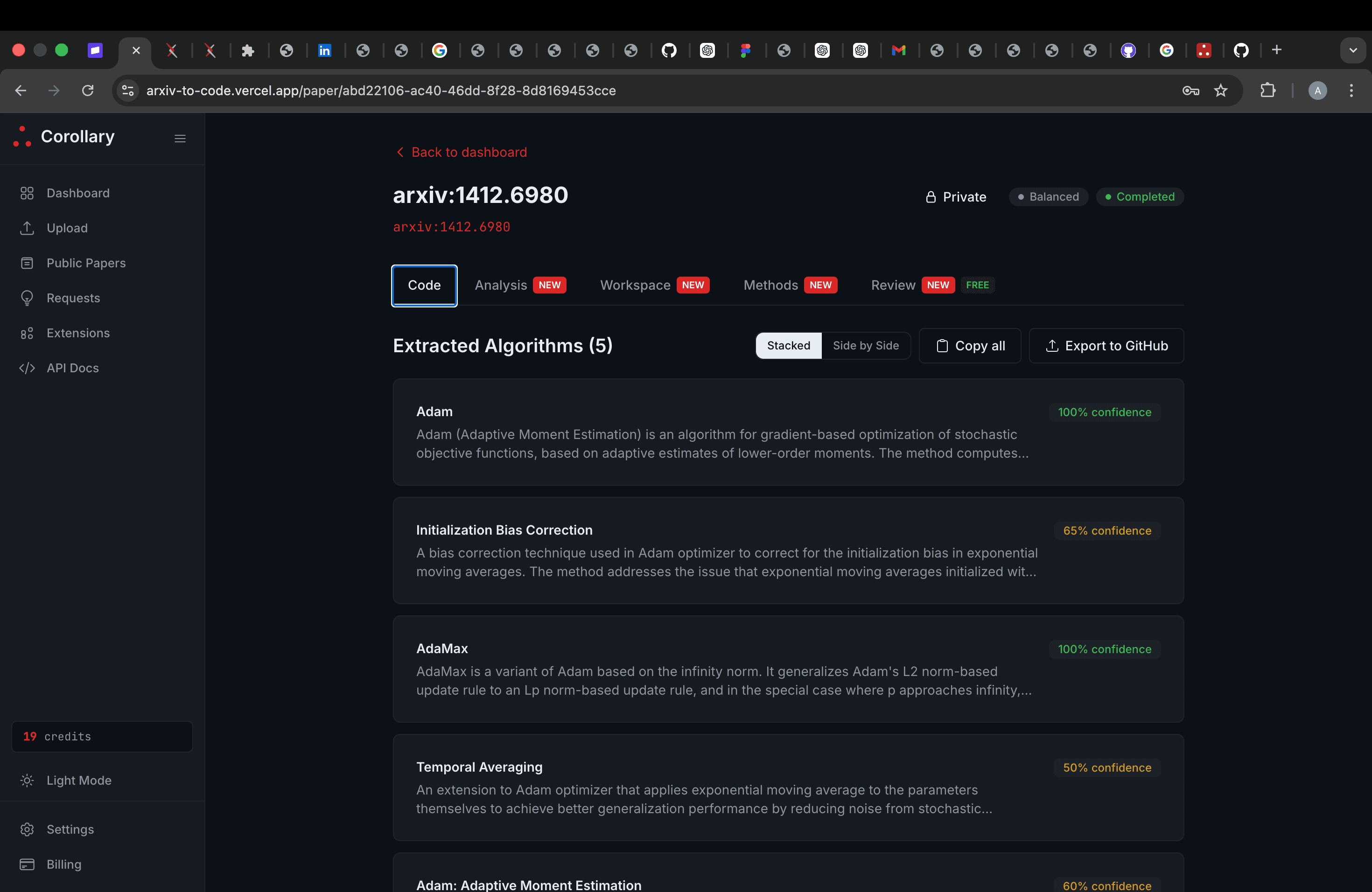
The dashboard is where users manage conversions, inspect jobs, and keep a library of papers they have already processed. The upload flow feels simple, to encourage someone to submit a PDF or arXiv URL, while the technical complexity comes later in the pipeline.
Corollary's main selling point
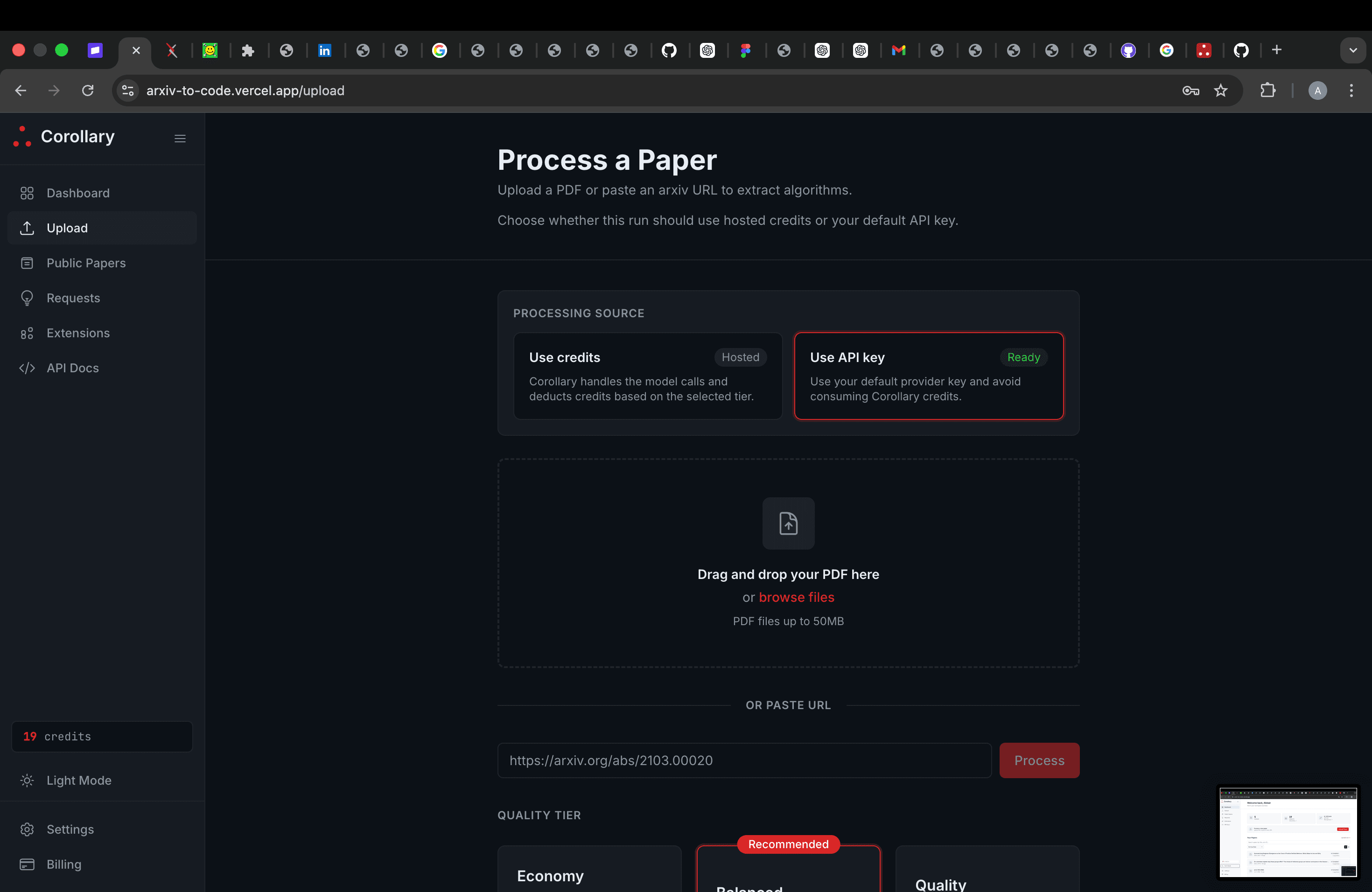
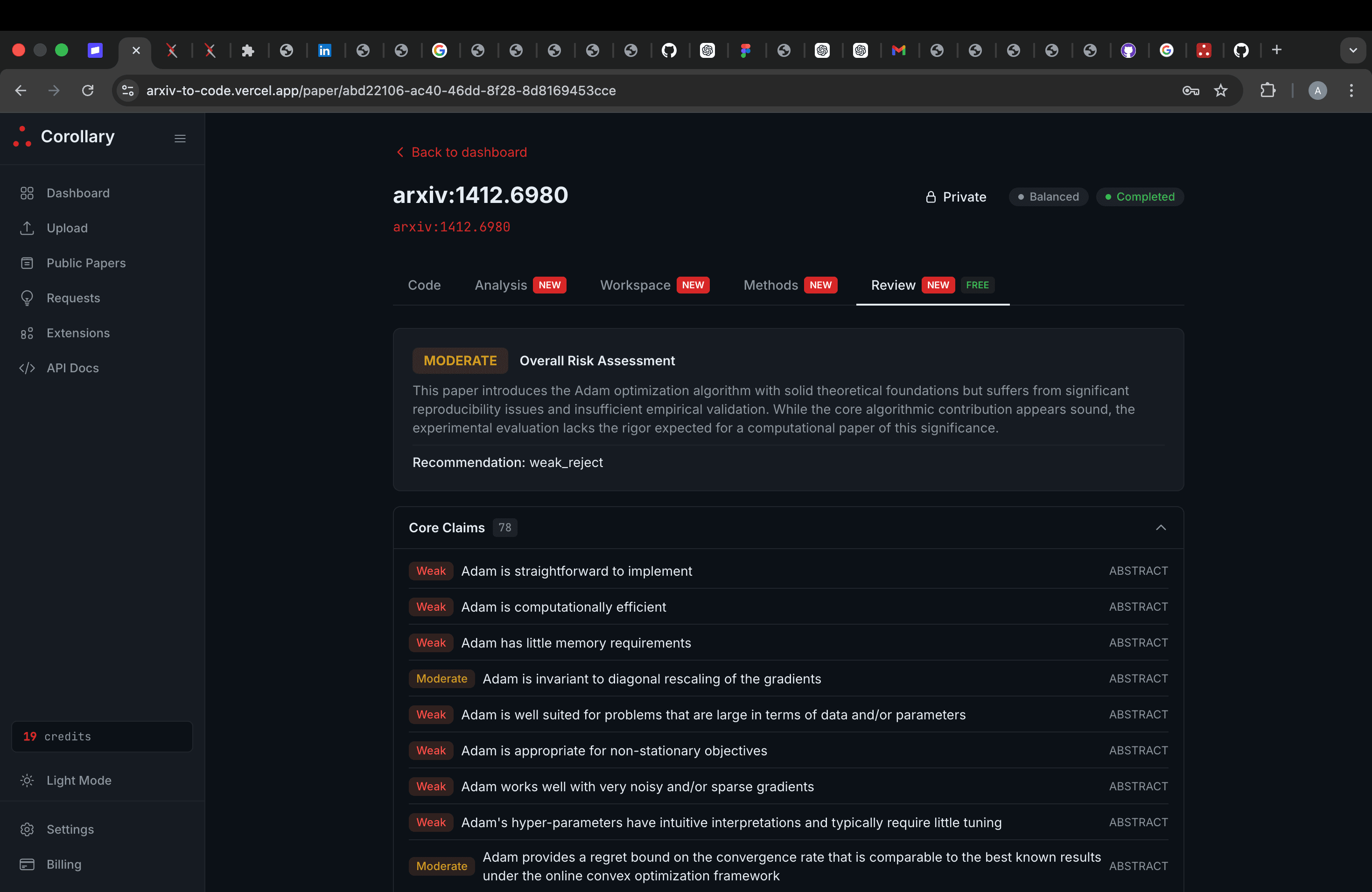
The most important product decision in Corollary is that uncertainty remains part of the output. If, in the uploaded research paper, notation is underspecified, an evaluation step is vague, or a method description leaves implementation choices open, Corollary says that directly.
That makes the resulting workspace more useful for someone doing real technical work. A silent guess is much more dangerous than a visible unresolved assumption, so the ambiguity report is central to the output a user receives when using Corollary.
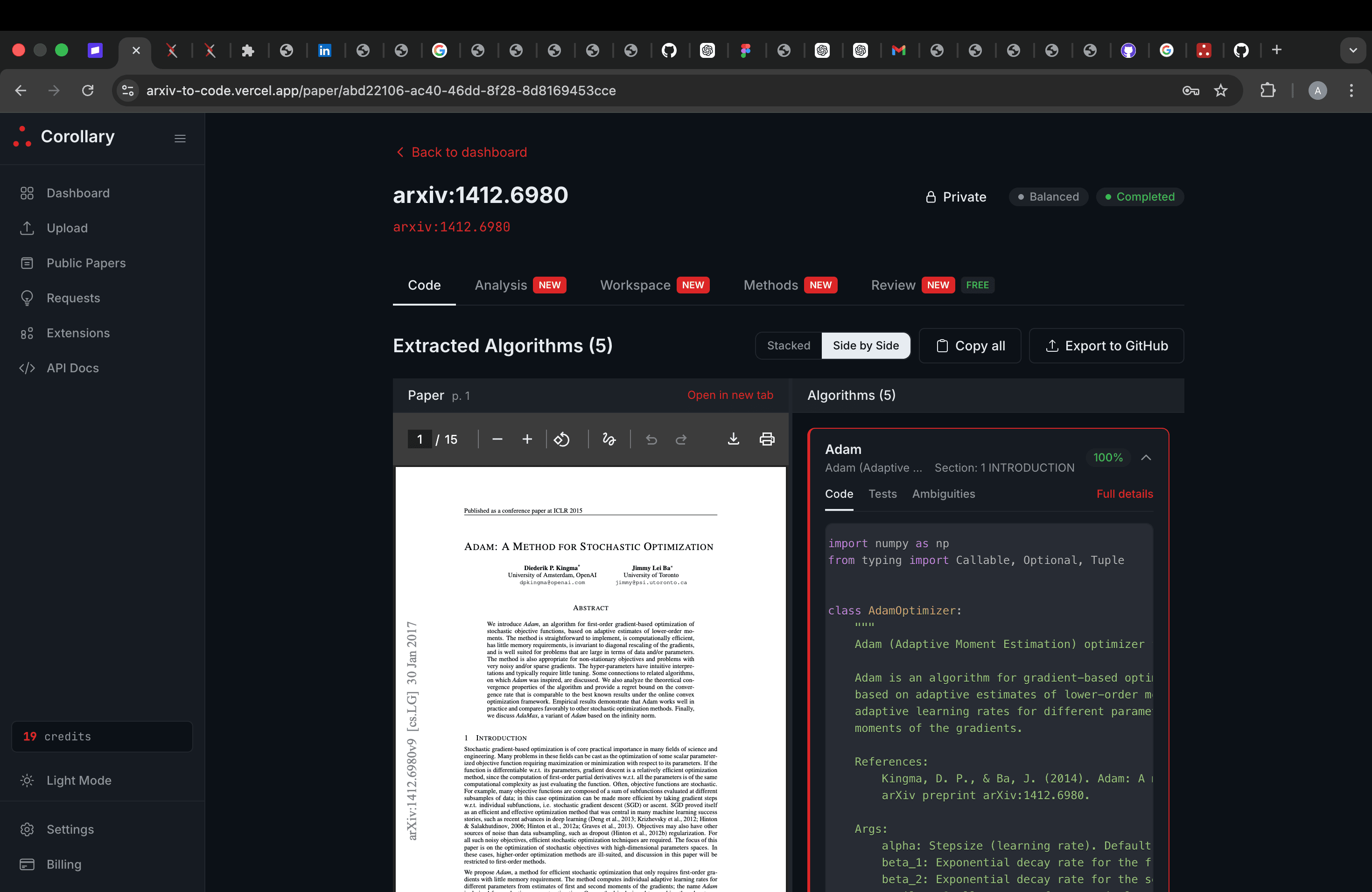
Workspace, export, and extensions
Each converted paper ends up as a proper workspace with code, tests, documentation, and a chain of reasoning the user can inspect later.
Corollary also features a browser extension that lets someone launch a conversion directly from the arXiv website. The VS Code extension will, when it launches, bring ambiguity reports and generated files into the editor without breaking the workflow.
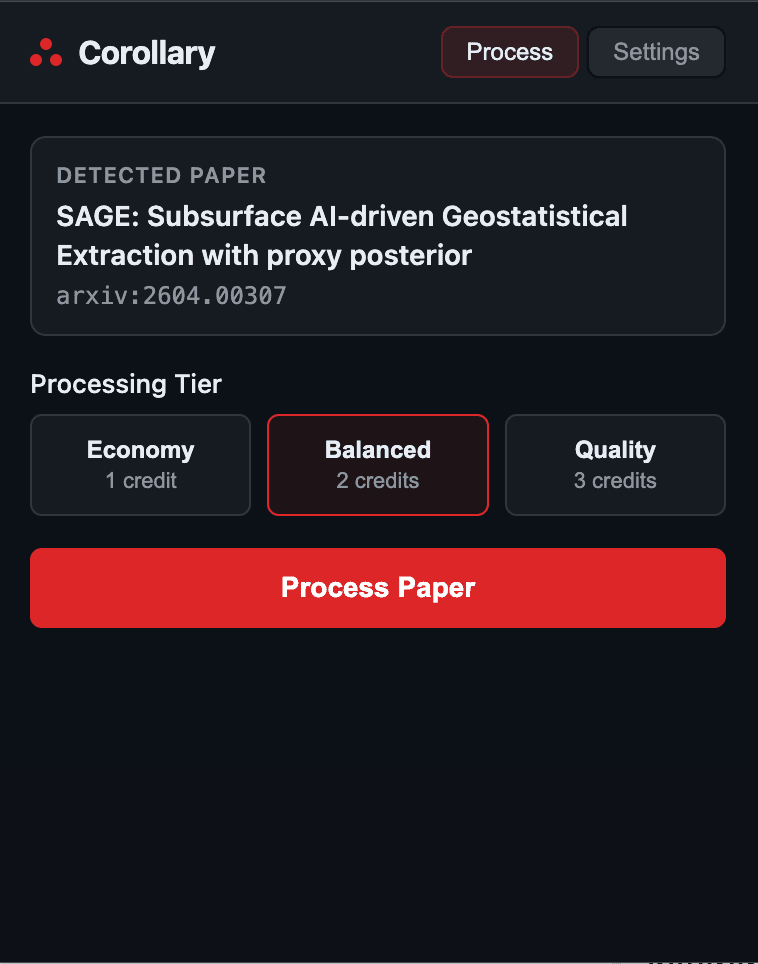
This is the actual Chrome extension surface. It lets someone launch Corollary directly from a paper page instead of copying URLs around manually.
The extension is intentionally narrow: start the workflow from arXiv, then continue inside the main Corollary product once the paper has been sent across.